


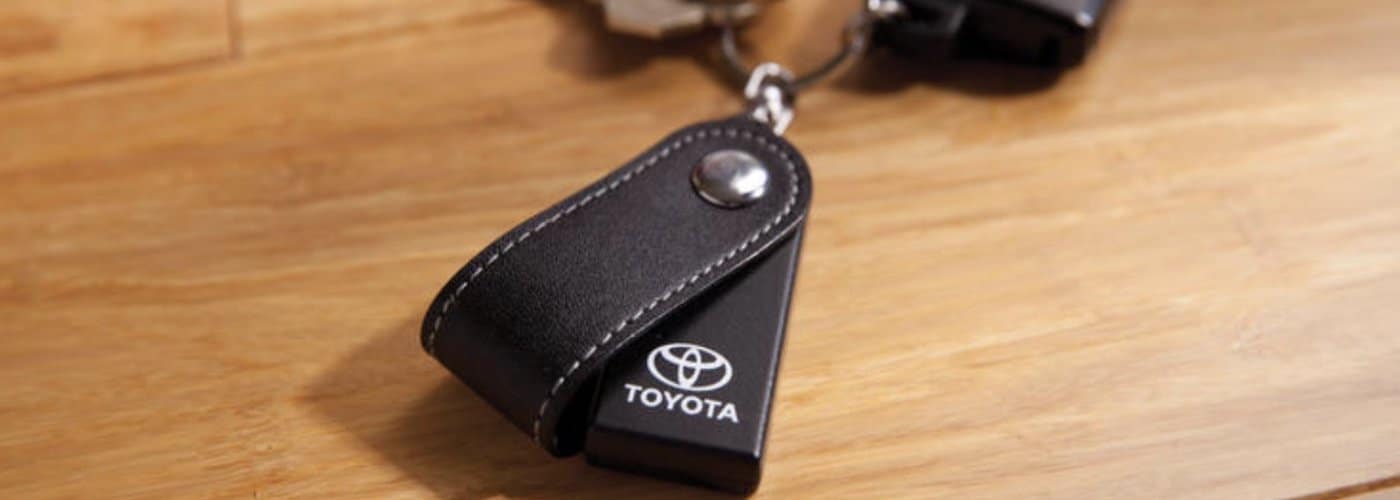
A functioning key fob is an essential component for any Toyota owner. It grants you the convenience of keyless entry, remote start, and other crucial functionalities. When your key fob battery begins to weaken, you’ll likely notice signs such as reduced range, on-and-off functionality, or complete unresponsiveness. These indicators suggest it’s time for a battery replacement. Fortunately, changing the battery in your Toyota key fob is a straightforward process that can save you the time and expense of a dealership visit. We’re committed to guiding you through this simple yet essential task.
Keep Your Toyota Key Fob Running: A Guide to Changing the Battery
This guide details how to change your Toyota key fob battery efficiently. By following these instructions, you can ensure your key fob remains operational without needing professional assistance. DIY battery replacement offers significant benefits, including convenience and cost savings, making it an ideal solution for Toyota owners. At our Toyota Vallejo dealership, we believe in empowering you with the knowledge that enhances your overall vehicle ownership experience.
Gather Your Materials
Before starting the battery replacement process, gather all necessary materials to ensure a smooth procedure. Here’s what you’ll need:
- A small flathead screwdriver: This tool will help you open the key fob casing.
- A new battery: Typically, Toyota key fobs require a CR2032 battery. Check your key fob or owner’s manual to confirm the correct type.
- A clean workspace: A tidy area will help you keep track of small components and avoid losing them.
- Tweezers (optional): These are useful for handling small batteries and other tiny parts.
- Microfiber cloth (optional): This helps maintain a clean workspace and prevents the buildup of dust and debris.
Having these items ready before you begin will make the process more efficient and reduce the risk of losing any small pieces.
Open the Key Fob
Opening the key fob is the first step in accessing the battery. Follow these steps to avoid damage:
- Locate the seam: Most Toyota key fobs have a seam where the two halves of the fob meet.
- Insert the screwdriver: Gently insert the small flathead screwdriver into the seam and apply slight pressure to pry the two halves apart. Be careful not to use excessive force, which can damage the plastic casing.
- Separate the halves: After you’ve pried the halves apart, gently separate them using your fingers. Some models might have clips that need to be released. If you encounter resistance, check for any hidden clips or screws.
- Remove the battery cover: Inside the key fob, you’ll find a battery cover. Use the screwdriver to lift it off gently, and keep track of any small parts, such as screws or plastic clips, that you remove during this process.
This process might vary slightly between different Toyota models. For model-specific instructions, refer to your owner’s manual. If you encounter difficulty, our team is always here to assist you.
Replace the Battery
With the key fob open, you can replace the old battery with a new one. Here’s how:
- Remove the old battery: Using the flathead screwdriver or tweezers, carefully lift the old battery out of its compartment. Note the battery’s orientation (positive and negative sides) to ensure the correct installation of the new one.
- Insert the new battery: Place the new CR2032 battery into the compartment, ensuring the positive side (usually marked with a “+”) is facing up. Press down gently to secure it in place.
- Check the installation: Ensure the battery is seated correctly and the contacts touch the terminals.
Proper battery handling is crucial. Avoid touching the battery contacts with your fingers, as oils and dirt can affect performance. If necessary, use tweezers to handle the battery. Double-check the installation if the key fob doesn’t work after replacing the battery.
Close the Key Fob
After replacing the battery, it’s time to reassemble the key fob. Follow these steps:
- Reattach the battery cover: Place the battery cover back over the battery compartment and press it down until it clicks into place.
- Align the fob halves: Carefully align the two halves of the key fob. Ensure that all clips and hooks are properly engaged.
- Snap the fob together: Press the two halves together until they snap into place. You should hear a clicking sound, indicating that the fob is securely closed.
- Final checks: Test the key fob to ensure it functions correctly. Try locking and unlocking your vehicle from a distance to confirm that the new battery works.
Completely sealing the key fob will protect the internal components from damage and maintain its functionality.
Additional Tips and Considerations
To extend the life of your key fob battery and ensure it remains in good working condition, consider the following tips:
- Avoid exposure to extreme temperatures: Both high and low temperatures can affect the battery’s performance and life span. So, avoid leaving your key fob in direct sunlight or freezing conditions for extended periods.
- Handle with care: Key fobs are delicate electronic devices. Avoid dropping them and, if possible, keep yours in a protective case.
- Store properly: When not in use, keep the key fob in a safe place to prevent accidental damage.
If your key fob doesn’t work after replacing the battery, try resetting it by pressing the buttons multiple times or consult your vehicle’s manual for troubleshooting steps. Common issues might include improper battery installation or worn-out key fob contacts, which might require professional assistance.
Stay Connected With Toyota
We’re committed to helping you maintain your vehicle with ease. Following the steps outlined in this guide ensures your Toyota key fob remains in top condition. For more tips and maintenance advice, visit our website or contact us directly. Our team is here to assist you with any additional questions or to schedule a service appointment. Stay connected with us for all your automotive needs and enjoy peace of mind knowing your vehicle is in good hands.
Connect with us


- July 2026
- June 2026
- May 2026
- April 2026
- March 2026
- February 2026
- January 2026
- December 2025
- September 2025
- August 2025
- July 2025
- June 2025
- May 2025
- April 2025
- March 2025
- February 2025
- January 2025
- December 2024
- November 2024
- September 2024
- August 2024
- July 2024
- June 2024
- May 2024
- January 2024
- December 2023
- November 2023
Archives
- A/C and Heating Repair
- Bilingual Staff
- Brakes
- Car Battery
- Check Engine Light
- Electric Vehicles
- Fuel Efficiency
- Hybrid Cars Vallejo CA
- Ice Cream
- Inspect Tires
- Local Blog
- Local Events
- Oil Change
- President's Award
- Rental Center Hours
- Schedule Service
- Spanish-Speaking Staff
- Tire Service
- Towing Capacity
- Toy Drive
- Toyota 4Runner
- Toyota bZ
- Toyota Camry
- Toyota Certified Used Vehicles
- Toyota Certified Used Vehicles Program
- Toyota Corolla
- Toyota Grand Highlander
- Toyota Highlander Hybrid
- Toyota Hybrid
- Toyota Parts
- Toyota Prius
- Toyota RAV 4
- Toyota RAV4 Hybrid
- Toyota Rental
- Toyota Sequoia
- Toyota Sienna
- Toyota Spring Service
- Toyota SUV Dealership
- Toyota Tacoma
- Toyota TRD
- Toyota Trim Levels
- Toyota Truck
- Toyota Tundra
- Toyota Vallejo Rental
- Toyota Vallejo Service
- Uncategorized
- Vallejo Toyota Dealer
- Vallejo Toyota Service
- Vallejo Used Cars
- Winter Vehicle Service
- Wiper Blades